


Wear OS by Google Smartwatch
3.715.48K Reviews
App Specs
- Version
- Varies with Device
- Updated On
- License
- Free
- Downloads
- 100,000,000+
- Developer
- Google LLC
- Categories
- Communication
- Platform
- Android, iOS
Screenshots
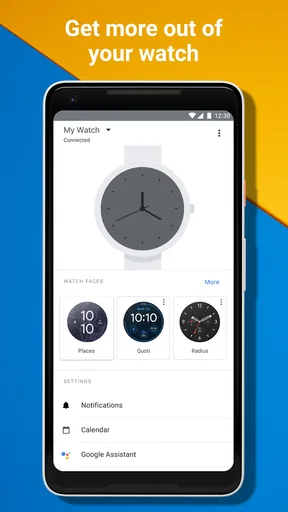
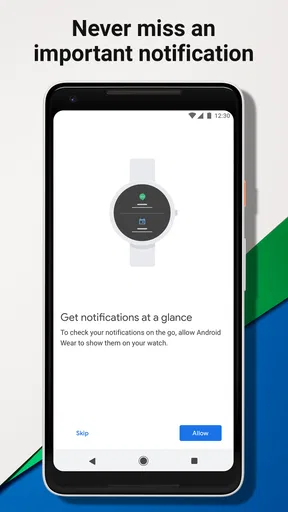
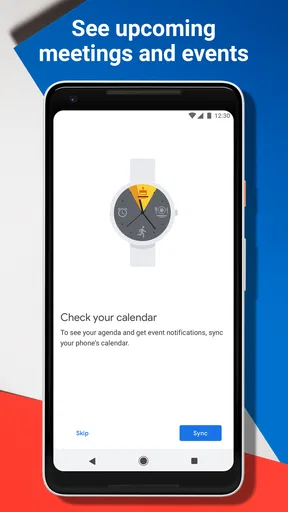
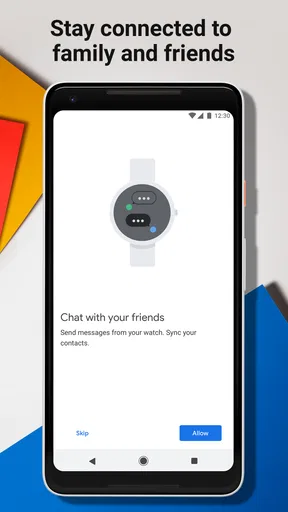
 Analysis by AppCompare
I think of Wear OS by Google Smartwatch less as a watch in its own right and more as the phone companion that helps a compatible smartwatch fit into daily life. The free app from Google LLC is in the communication category, and its main job is to connect a watch and phone so they can stay in sync. That makes it most useful when you already own a Wear OS watch, or are deciding whether a watch built around this platform suits the way you use your phone.
What the free app does—and what that means for value
The app itself is free, so there is no app purchase price to weigh against its features. Its value comes from making a compatible watch and phone work together: pairing, setup, and everyday connection are the reasons to install it. The watch is a separate purchase, so free access to this app should not be mistaken for getting the wearable hardware at no cost.
That distinction matters when comparing it with alternatives. A watch maker’s own companion app may be the better choice if you want a watch from a different ecosystem, while this one makes sense when your watch is designed for Wear OS. I would decide on the watch and phone combination first, then treat the app as the bridge—not as a standalone smartwatch experience.
The app has an average rating of 3.7 from around 291,000 ratings, and it has been installed over 100 million times. Those figures suggest broad use, but they do not guarantee that every pairing will be smooth: phone models, watch models, and software versions can affect the experience. I would check that your specific devices support Wear OS before relying on it for a purchase decision.
Making the phone-and-watch combination work
I’d treat the phone-and-watch setup as a small routine to tune, not a one-time pairing task: decide which alerts deserve your attention on your wrist, then check whether the connection is active before relying on it away from home. That keeps the companion app useful without turning every phone notification into another interruption. Once the basics feel settled, the next question is where wrist access genuinely helps in an ordinary day.
Setup is only the beginning
Pairing is the first practical task, but the best test comes afterward: whether the watch remains useful without making you manage the same information twice. I’d start by choosing which alerts genuinely deserve a place on my wrist. A watch that mirrors every phone notification can quickly become noisy; keeping only calls, messages, calendar reminders, or other time-sensitive alerts makes glancing at it more purposeful.
A helpful approach is to use the watch for quick decisions rather than full phone sessions. If a message can be handled with a brief glance or a short response, the wrist is convenient. If it needs careful reading, attachments, or a longer reply, reaching for the phone is still more comfortable. That division keeps the watch from feeling like a smaller, more awkward version of the device in your pocket.
Worth Reading Before You Choose

Flipboard Shows What News Apps Must Do Beyond the Feed

Switching to Android Auto Means Rethinking Your Driving Routine

Google Calendar Makes a Crowded Week Easier to Manage

Ludo King Makes the Most of the Minutes Between Plans

Baby Panda World Brings Quick Play to Modern Phones, but Its Game Library Feels Busy

ESPN’s Live Game View Makes Following Close Games Easier
For someone who has not used a smartwatch before, I’d give the setup a little thought instead of accepting every default. Decide which notifications matter during work, travel, exercise, and downtime. The same alert can be useful in one setting and distracting in another, so adjusting the mix to your routine is more valuable than trying to make the watch show everything.
Everyday uses where wrist access helps
Picture walking to a meeting with your phone tucked away. A calendar reminder or a call notification on the watch can tell you whether you need to stop and respond, without pulling out your phone in the middle of a hallway. On public transport, a quick glance at an alert can help you decide whether it needs attention now or can wait until you arrive. These are small conveniences, but they are the ones that make a connected watch earn its place.
There is also a practical benefit when your phone is nearby but out of sight. If you often set it down around the house, the watch-and-phone connection can make the pair feel more useful as a system than either device alone. The key is to think of wrist access as a shortcut, not a replacement for everything the phone does.
That distinction is especially important for communication. Calls and messages are easier to notice when the phone is in a bag or across a room, but a watch is not always the best place to hold a conversation. In a quiet office, a vibration may be enough to prompt a discreet check; in a busy street, it may be safer to stop and use the phone rather than trying to read while moving.
Useful habits and trade-offs
One non-obvious tip is to treat notification setup as ongoing housekeeping. After a few days, notice which alerts you actually act on and which ones merely interrupt you. Turning down the latter can make the watch feel calmer and preserve the point of having it: quick awareness without constant phone checking. If your wrist is buzzing as often as your pocket, the setup is probably working against you.
Another useful habit is to check the connection before depending on the watch for something time-sensitive. A companion app is valuable when the devices are paired and communicating, but it cannot make a disconnected phone-and-watch combination behave as if nothing happened. If you are heading out expecting to rely on a particular alert, a quick glance at the watch’s connection status can prevent an avoidable surprise.
There is a trade-off between convenience and duplication. Some people like seeing phone notifications on their wrist; others find that it simply creates another screen to manage. If you already check your phone constantly, the watch may add little unless it helps you leave the phone alone. I’d judge it by whether it changes a real habit—such as reducing unnecessary phone checks—not by how many things it can display.
Compatibility is another reason to be deliberate. The app is intended for Wear OS watches, so it is not a universal companion for every smartwatch. If you own a watch built around another platform, its maker’s own app is usually the more sensible route. Before buying a watch, I would confirm that its platform and your phone are a supported pairing rather than assuming that any watch app can connect to any wearable.
How it compares with other companion apps
Compared with the usual alternatives in this category, the main difference is its role in the Wear OS ecosystem. A manufacturer-specific companion app may offer a more tailored experience for that company’s watches, while a general fitness app may focus on health records rather than connecting a watch to a phone. This app is most relevant when the watch itself runs Wear OS; it is not a reason by itself to choose a particular watch over every competing model.
If your priority is a tightly integrated experience with a watch from another platform, that platform’s companion app is likely a better fit. If you mainly want to track activity and do not care about wrist notifications or phone-watch coordination, a standalone fitness service may be enough. I see the strongest case here for people who want a Wear OS watch to act as a convenient extension of their phone, not for someone simply looking for another health dashboard.
Nor would I treat the app’s name as a promise that every feature works identically on every watch. Wearable capabilities depend on the watch and its setup, so the experience can differ across devices. A buyer choosing between watches should compare the actual hardware and platform support, then use the companion app as one part of that decision.
Who is likely to get value from it?
I’d recommend it to someone who owns a compatible Wear OS watch and wants an easier way to keep that watch connected to an Android phone. It can also suit a first-time smartwatch user who wants to try wrist notifications and quick checks without expecting the watch to replace a phone. The best fit is someone who can name a few moments when wrist access would help: commuting, being on call, moving around at work, or keeping a phone tucked away during errands.
I would be more cautious if you rarely use notifications, dislike wearing a watch, or expect a companion app to transform an unsupported wearable into a compatible one. It is also not the right choice if your watch belongs to a different ecosystem and already has a dedicated phone app. In those cases, the sensible alternative is to use the companion software designed for your device—or skip a smartwatch if the day-to-day convenience does not appeal.
The app is rated for Everyone, which makes it broadly accessible as a communication utility, but the decision to use it is still about your devices and habits. The practical question is not whether a smartwatch sounds useful in theory; it is whether you want the phone’s selected alerts and watch connection close at hand often enough to justify wearing one.
My verdict on the free download
Wear OS by Google is a free companion app from Google LLC, released on July 2, 2014. I see its value as straightforward rather than mysterious: it helps a compatible watch and phone work together. The app has a 3.7 average rating and around 15,000 written reviews, but I would put more weight on confirming compatibility and deciding which wrist alerts would genuinely help than on ratings alone.
For the right pairing, it is a sensible place to start, and the free app makes trying the connection itself a low-cost step. Just remember that the watch hardware is a separate decision, and the app’s usefulness depends on owning a compatible device. I would choose it when I want a Wear OS watch to make communication and quick phone checks more convenient; I would skip it when I have a different kind of smartwatch or do not want another screen competing for my attention.
First impressions are everything, right? And the watch doesn’t disappoint. The design is super sleek, with a variety of customizable watch faces that let you express your style. Whether you’re going for a classic look or something more futuristic, it’s got you covered.
The display is crisp and vibrant. I mean, even in direct sunlight, I could see everything crystal clear. This is a big win for those of us who love outdoor adventures. Plus, the touch response is buttery smooth, making navigation through apps a breeze.
Performance and Features: More Than Just a Timekeeper
Okay, let’s get into the nitty-gritty. What can this smartwatch actually do? Well, quite a lot! It runs on Wear OS, which means you have access to a plethora of apps right from your wrist. From fitness tracking to checking your calendar, it’s all there.
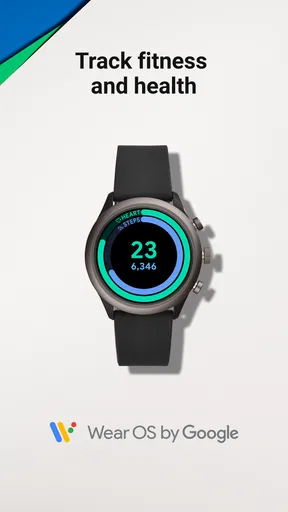
The fitness tracking features are especially impressive. It’s got all the usual suspects: step counting, heart rate monitoring, and even sleep tracking. But what really caught my eye was the integration with Google Fit. It’s seamless and provides you with detailed health insights that are actually useful.
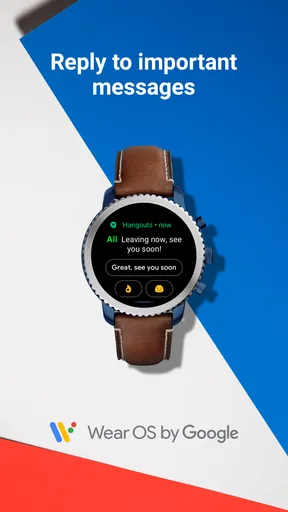
Notifications are another strong point. You can receive calls, texts, and app alerts without fumbling for your phone. And if you’re like me and always lose your phone in the couch cushions, the find-my-phone feature is a lifesaver!
Battery Life: Keeping You Connected
One of the biggest concerns with smartwatches is battery life, right? The good news is, this one holds up pretty well. I managed to get through a full day with all the bells and whistles turned on. If you’re more conservative with your usage, you can stretch it even further.
Charging is also quick and painless, thanks to the magnetic charger. Just snap it on, and you’re good to go in no time. It’s perfect for a quick top-up before heading out for the night.
Compatibility and Connectivity: Always in Sync
The watch is compatible with both Android and iOS, which is a huge plus. Pairing it with my phone was a breeze, and it stayed connected reliably. No annoying dropouts here!
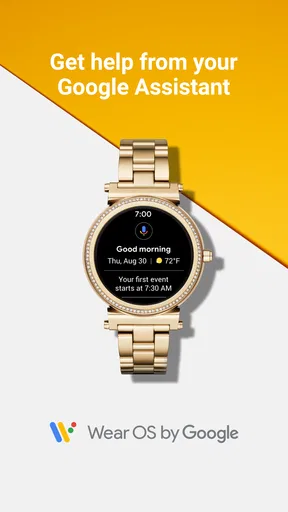
The integration with Google Assistant is another highlight. You can check the weather, set reminders, or even control your smart home devices straight from your wrist. It’s like having your own personal assistant who never takes a break.
Final Thoughts: Is It Worth It?
So, is it worth your hard-earned cash? If you’re looking for a smartwatch that’s stylish, functional, and packed with features, I’d say it’s a solid yes. It’s a versatile piece of tech that keeps you connected and makes managing daily tasks a whole lot easier.
Whether you’re a fitness enthusiast, a busy professional, or just someone who loves the latest gadgets, this smartwatch has something to offer. So, go ahead and check it out. You might just find it’s the tech upgrade you’ve been waiting for!
Pros
- Intuitive interface for easy navigation.
- Seamless integration with Android devices.
- Wide range of compatible apps.
- Customizable watch faces and widgets.
- Efficient fitness tracking features.
Cons
- Limited battery life on some models.
- Requires frequent software updates.
- Not all apps are optimized for Wear OS.
- Can be sluggish on older hardware.
- Limited third-party app support.
FAQs for Wear OS by Google Smartwatch
What features does Wear OS by Google offer?
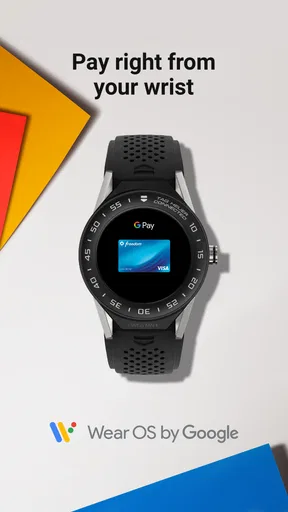
Wear OS by Google provides a range of features including fitness tracking, Google Assistant integration, customizable watch faces, and access to various apps through Google Play. Users can receive notifications, control music playback, and use Google Pay for contactless payments. It also offers health monitoring tools like heart rate tracking and sleep analysis.
Is Wear OS compatible with my smartphone?
Wear OS is compatible with both Android and iOS devices. For Android, your phone should be running version 6.0 or higher, excluding the Go edition. For iOS, it needs to be an iPhone 5S or newer with iOS 10.0 or later. However, features might vary depending on the operating system.
How does the battery life of Wear OS devices compare?
Battery life for Wear OS devices varies depending on usage, features activated, and the specific model of the smartwatch. Generally, most Wear OS watches last about 24 to 48 hours on a single charge. Using power-saving modes can extend battery life, but it's recommended to charge the watch daily for optimal performance.
Can I make phone calls using Wear OS?
Yes, Wear OS allows users to make and receive phone calls when connected to a compatible smartphone. Some models with built-in LTE can make calls independently. The call quality depends on the watch’s microphone and speaker capabilities, as well as network connectivity if using LTE.
What apps are available on Wear OS?
Wear OS supports a variety of apps available for download from the Google Play Store. Popular categories include fitness and health, music streaming, messaging, and navigation. Apps like Google Fit, Spotify, Strava, and Google Maps are commonly used. The selection and functionality of apps can depend on the watch model and the phone’s operating system.


